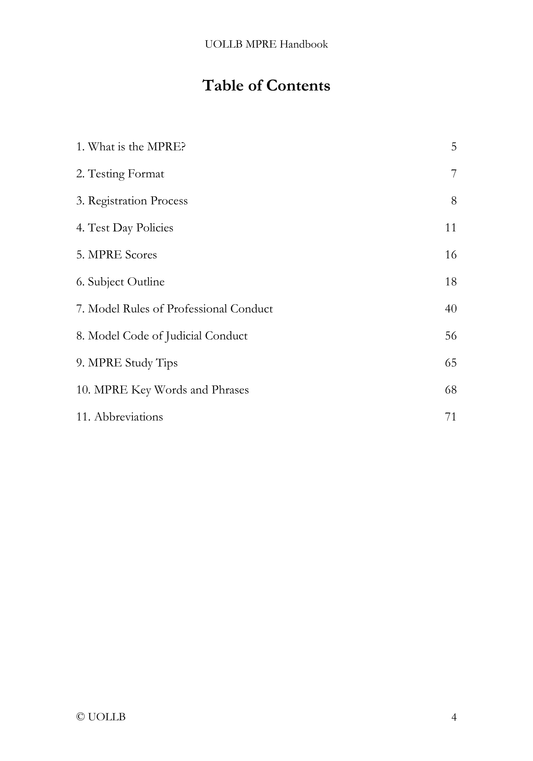
MPRE Registration Process
Share
The MPRE is administered on its behalf by Pearson VUE at computer-based testing centers throughout the United States and certain U.S. territories, including Guam, the Northern Mariana Islands, Puerto Rico, and the U.S. Virgin Islands. NCBE is responsible for determining testing accommodations, scoring the examination, and reporting scores to examinees and jurisdictions. Pearson VUE manages the testing centers and administers the exam using computer-based testing systems. Because testing capacity may be limited, you are encouraged to complete the registration process and schedule their exam appointment as early as possible.
Step 1: Creating an NCBE Account
The first step in the registration process is creating an NCBE account. All candidates must have an NCBE account in order to register for the MPRE and manage their testing information. The account allows you to complete the registration process, receive authorization to test, access examination materials, and obtain score reports. Without an NCBE account, you cannot begin the MPRE registration process.
Step 2: Requesting Test Accommodations
Candidates who require testing accommodations because of a disability should submit a request to NCBE before proceeding with the remainder of the registration process. These requests are reviewed under the Americans with Disabilities Act and may include accommodations such as extended testing time or other adjustments to the standard testing procedures. If you request test accommodations, you should wait until NCBE posts its determination in your NCBE Account File Cabinet before continuing with registration. Accommodations cannot be added after a testing appointment has already been scheduled, so completing this step early is important. After receiving the accommodations determination, if you do not plan to appeal or request reconsideration, you should complete the remaining registration steps within 48 hours. Delays may affect the ability to schedule the preferred testing date, location, or time.
Step 3: Completing the MPRE Registration
Once accommodations have been addressed, or if accommodations are not needed, you must log in to your NCBE account and complete the MPRE registration request. During this step, you formally request authorization to take the examination. After the registration request is processed, Pearson VUE will send an authorization to Test email to you, typically within 24 hours. This email confirms that you may proceed with scheduling the examination. It also provides instructions for scheduling the exam appointment with Pearson VUE and paying the test fee. You should review this email carefully. If testing accommodations were approved, the email must accurately reflect the approved accommodations before you schedule the exam. Only accommodations listed in the Authorization to Test email can be implemented during the exam appointment.
Step 5: Scheduling the Exam Appointment
After receiving authorization to test, you can then search for available testing centers and appointment times. You must schedule your exam appointment with Pearson VUE within 48 hours and pay the required test fee before the registration deadline. Scheduling can usually be completed online through the Pearson VUE system, although certain accommodations may require scheduling by telephone. Once the appointment has been scheduled and payment has been submitted, Pearson VUE will send confirmation emails verifying both the test appointment and the payment. Because the MPRE is not offered at every Pearson VUE location, you may need to travel to a nearby testing center. Scheduling early helps you secure convenient testing locations and preferred appointment times.
Step 6: Confirmation of the Exam Appointment
The confirmation email from Pearson VUE includes important details such as the date, time, and location of the testing center. If accommodations have been approved, the confirmation should also indicate the accommodations that will be provided during the exam. You should carefully review this information and notify NCBE immediately if any approved accommodation is missing from the confirmation.